X-Filter
Hide reposts, quotes, replies, and media. Customize navigation. Focus on what's important. All filtering runs locally in your browser.
Why
Social media gives you very little control over what you see. Algorithms force content that incentivizes you to gaze at the screen for no benefit to you. The feeds are full of noise that wastes your time. So, I decided to do something about it for my own sanity. Now I'm making it available to everyone.
X-Filter gives you some control back to eliminate the noise. X allows you to build lists that don't use algorithmic feeds which is great. However, the lists are still full of noise (endless reposts, distracting media, etc.). X-Filter provides a better overall user navigation and filtering experience that lets you hide the noise so you can focus on what's important.
Watch the Demo
Features
Post Filtering
Hide Reposts
Reposts are detected and collapsed to a single line, keeping your feed clean without breaking scroll position.
Hide Quotes
Quote posts are collapsed to a single line, removing the clutter while keeping your place in the feed.
Hide Replies
Hide replies across your home, search, list, and profile timelines. Only the reply is hidden, not the original post.
Content Filtering
Hide Media
Replace images, videos, and article cards with clickable [image], [video], and [article] placeholders that appear on demand.
Hide Profile Info
Replace avatars, display names, and @handles with [hidden] placeholders. Hover over them to reveal the original text.
User Experience
Seen-Post Tracking
Posts you linger on for a few seconds are marked as seen. A time badge ([seen - 5m]) appears next to the display name and the post is dimmed so you can easily spot what you've already read.
Click to Reveal
Click any collapsed post, hidden media, or dimmed seen post to reveal the full content whenever you want.
Filter Counters
See how many reposts, quotes, and replies have been filtered in your current session.
Global Toggle
Turn all filters on or off instantly with a single switch.
Settings Panel
All filter controls live in a panel accessible from the right sidebar. Includes toggles, counters, and a search bar.
Customizable Navigation
Customize your left navigation menu - show, hide, and reorder items. Your X lists are automatically added as navigable links too.
Focused Experience
X's right sidebar (trending, explore, etc.) is replaced with the filter panel. Distracting navigation elements are dimmed, helping you focus on what matters.
Context-Enhanced Search
The search box options adapt to context. On a profile page, search all posts by that user, posts between you and them, or posts from them to you. On a list feed, search posts from all list members.
Experimental Metrics & Analytics
Profile Statistics
Collect and view engagement metrics for any profile you visit — likes, views, replies, reposts, quotes, and bookmarks across their recent posts. Enable in Settings.
Cohort Analysis
Aggregate data across all collected profiles to compare engagement patterns, content type performance, audience size tiers, and more. Export or import your data for external analysis.
Per-Profile Metrics
View individual profile performance through interactive charts, engagement breakdowns by post type, and detailed summary statistics.
Screenshots
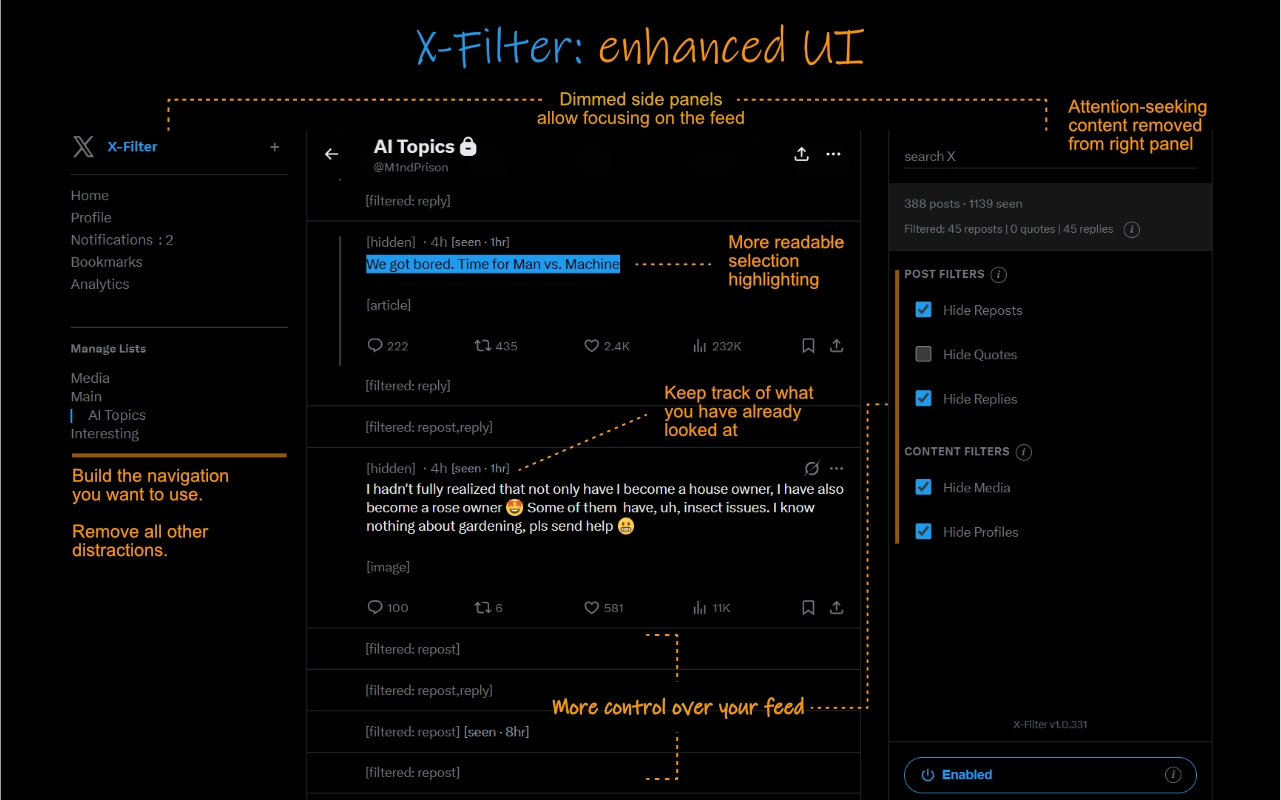
Enhanced UI with focused feed view and filter controls
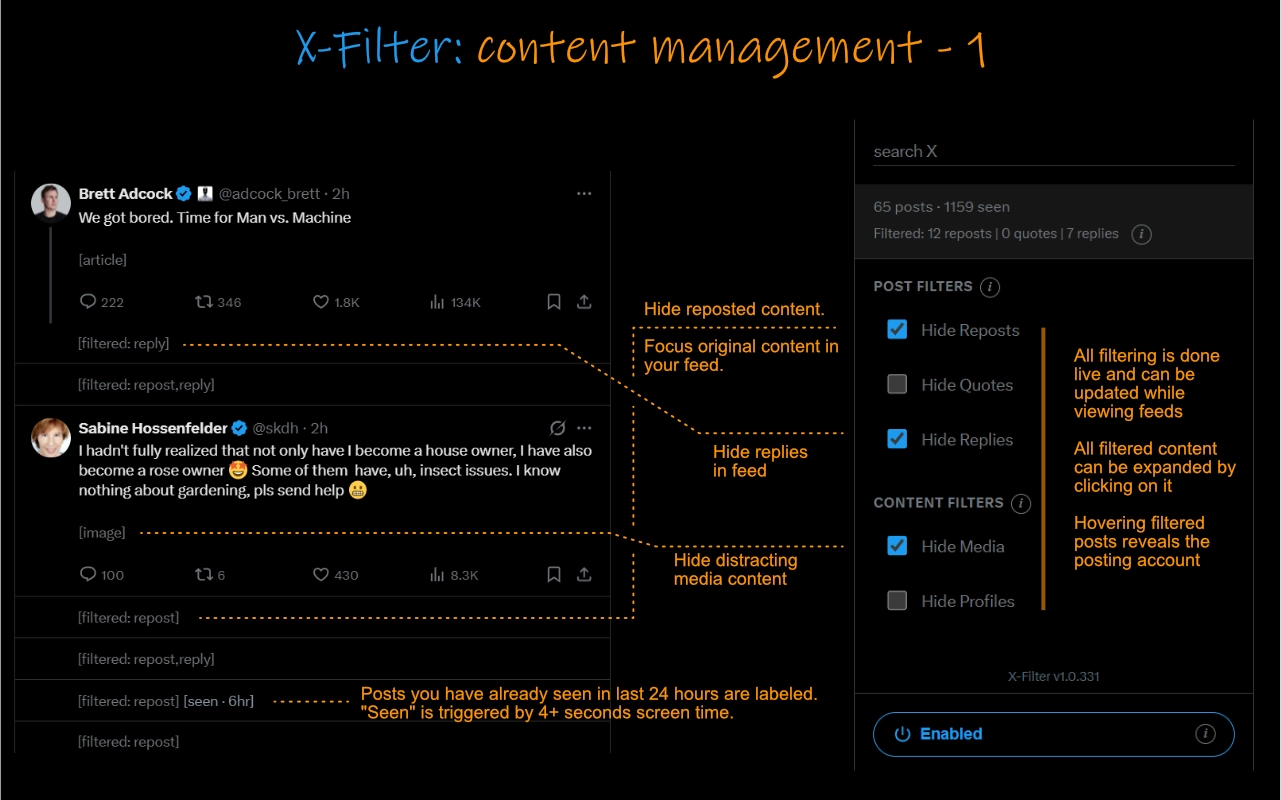
Hide reposts, replies, and media content from your feed
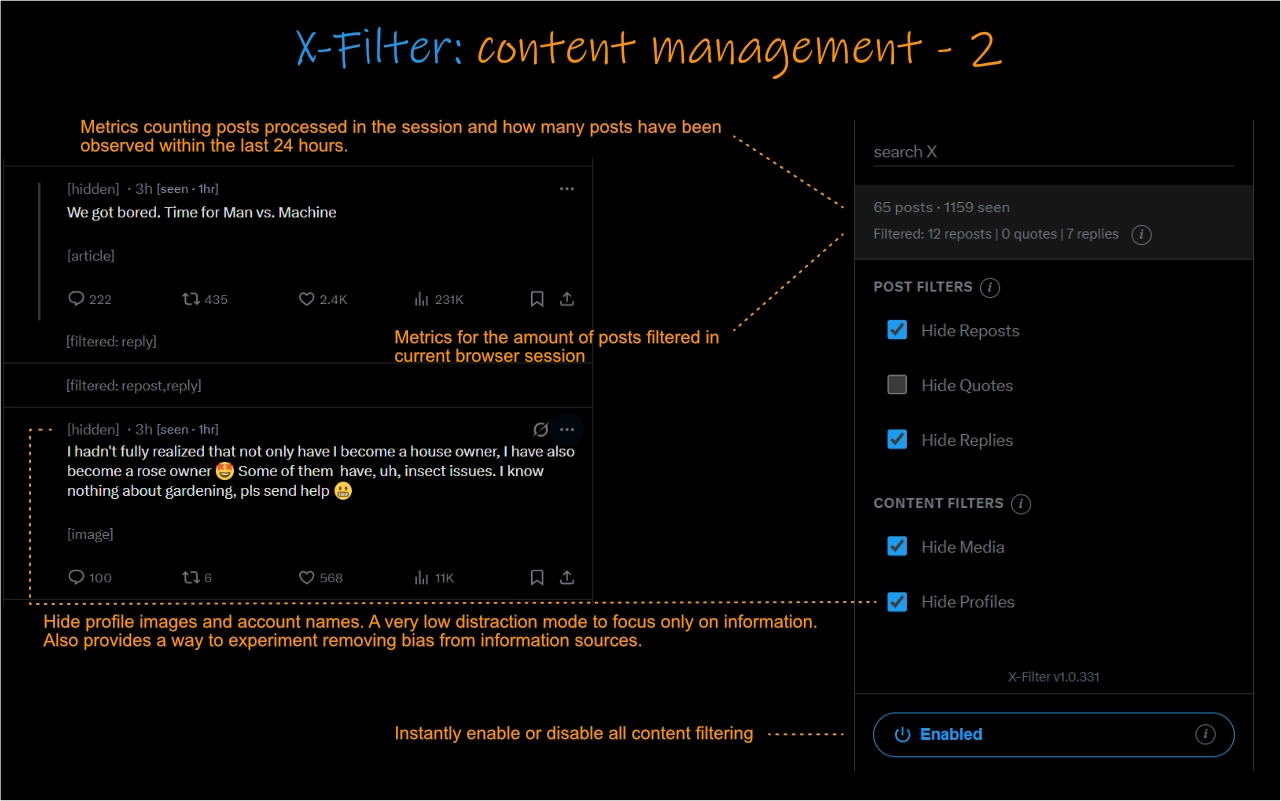
Filter metrics and low-distraction mode with hidden profiles
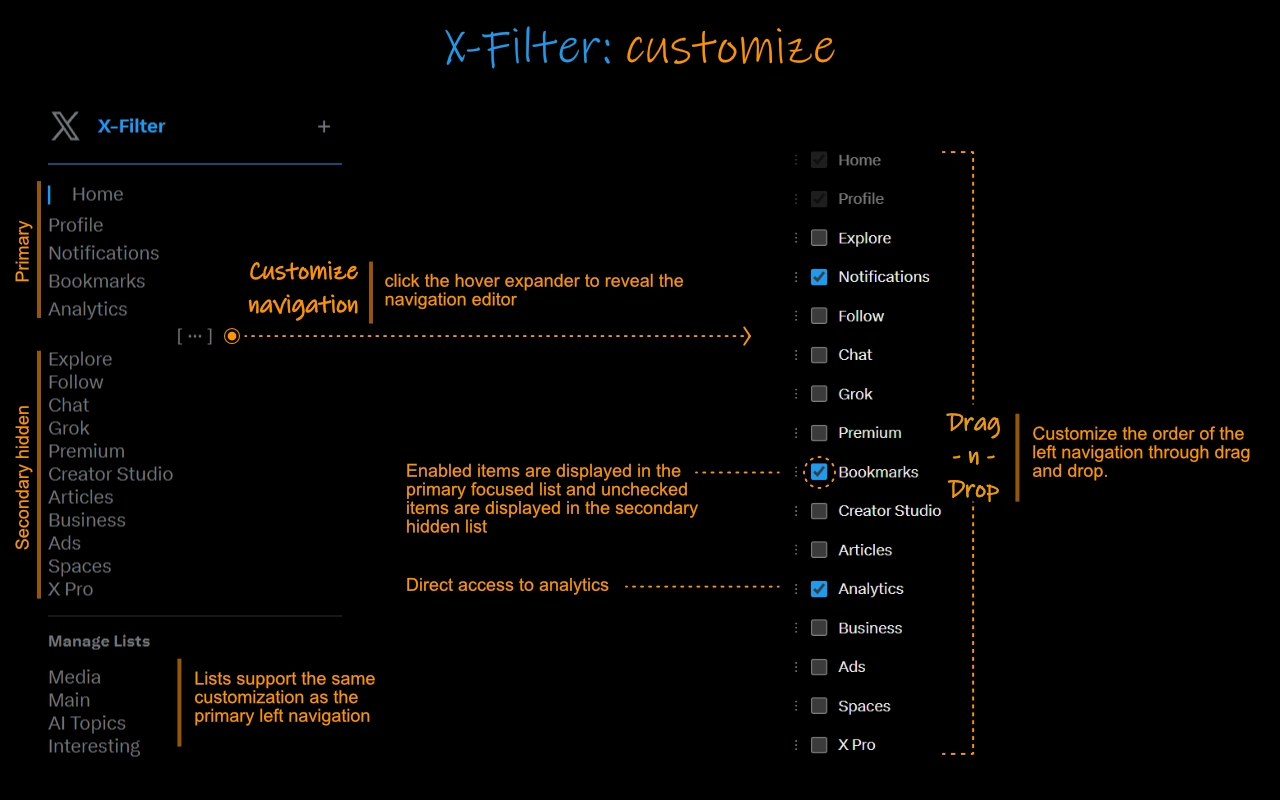
Customize navigation with drag-and-drop reordering
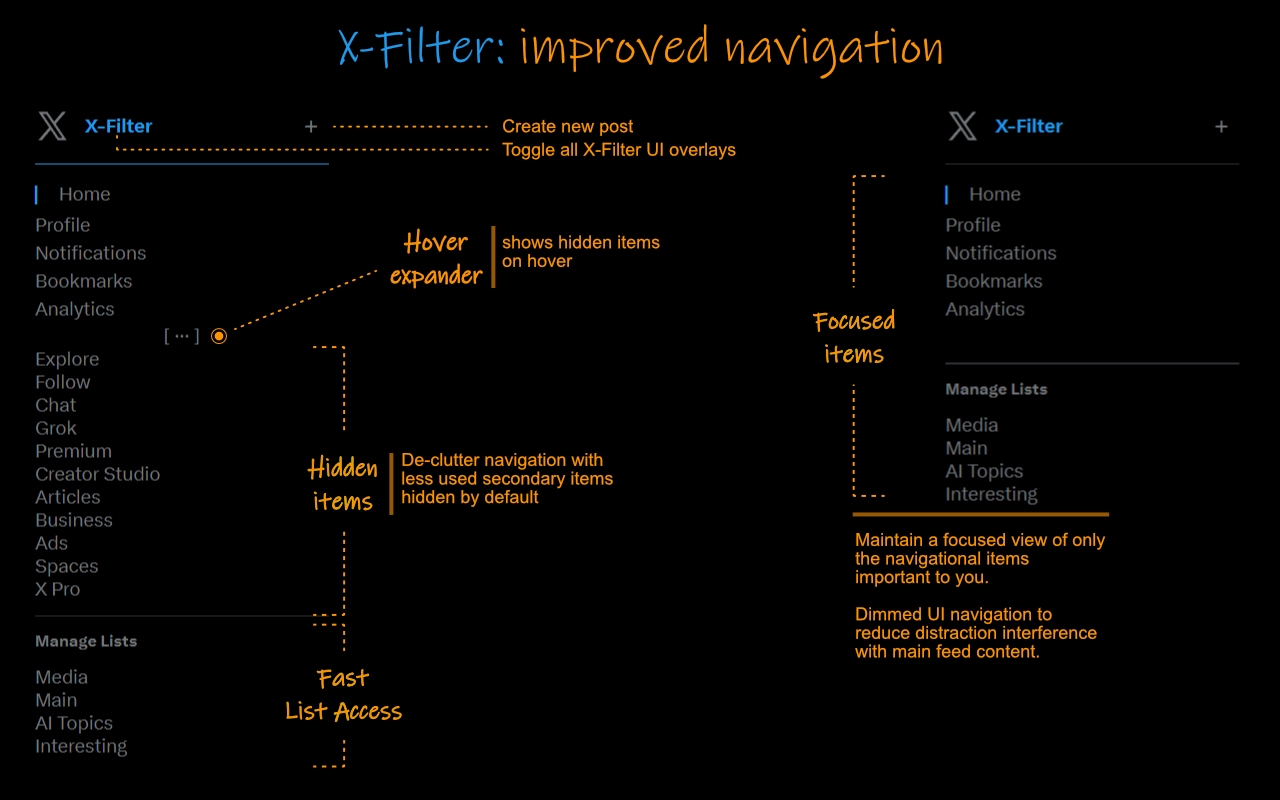
Improved navigation with hidden items and dimmed UI
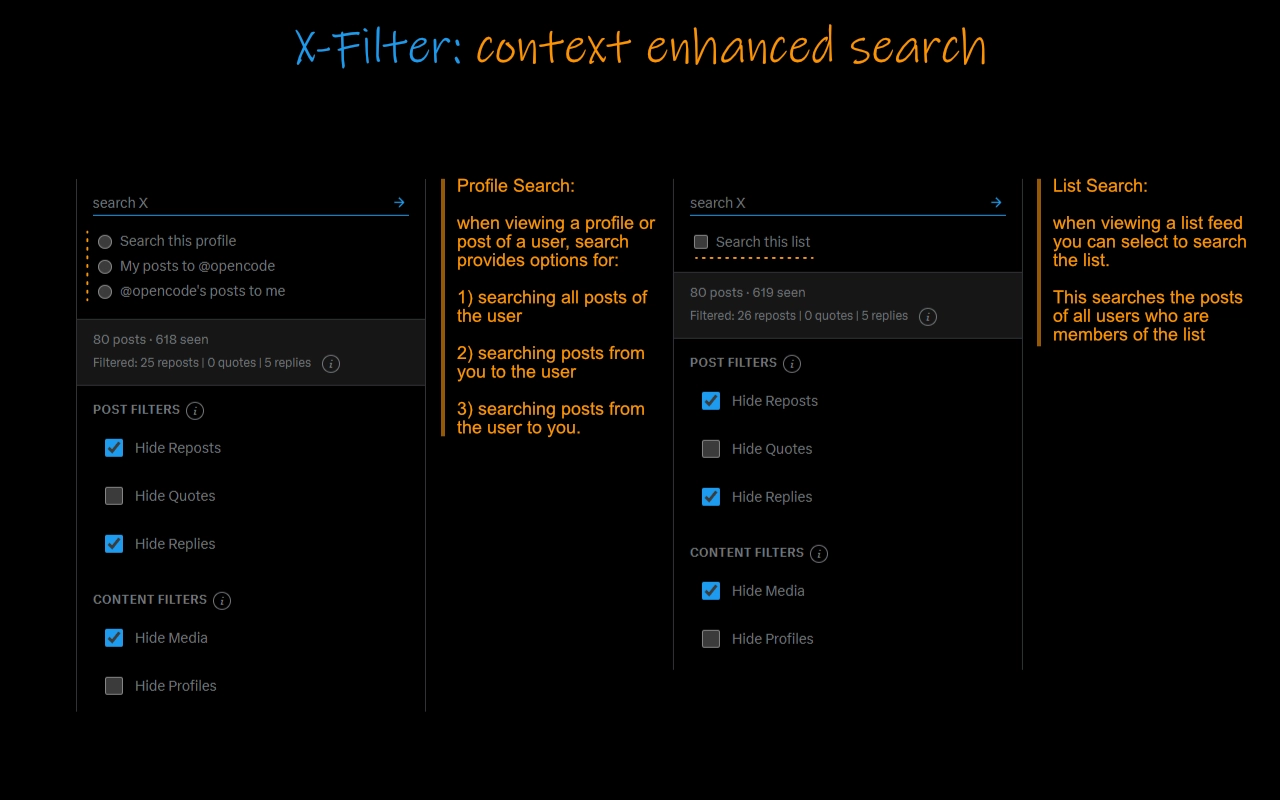
Context-enhanced search with profile and list search options
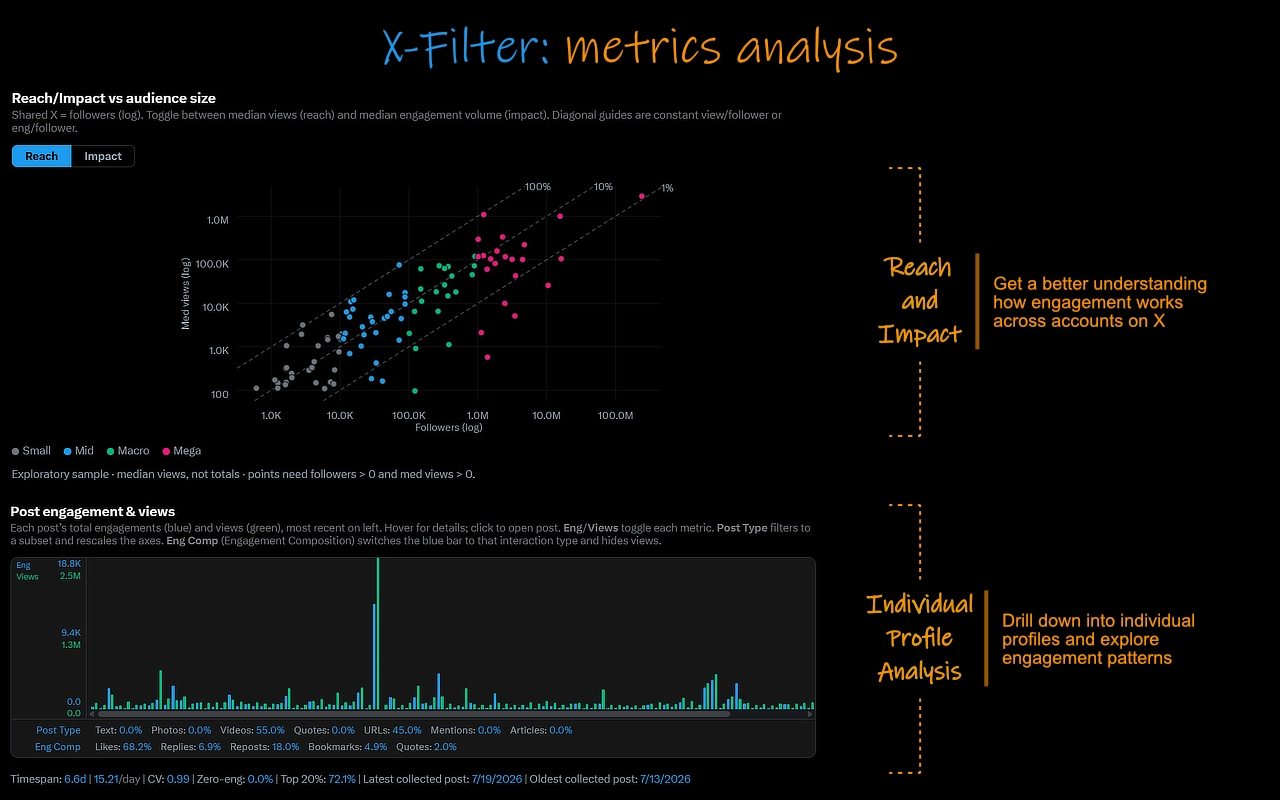
Profile statistics, cohort analysis, and engagement metrics
How It Works
When you load X.com, X-Filter reads the data X sends to your browser to identify each post's type - repost, a quote, or a reply. Based on your filter settings, matching posts are then hidden from view.
Media and profile information are modified directly on the page in real-time. Posts you've viewed are tracked using your browser's localStorage. All processing runs entirely within your browser and no data is ever sent to any external server.
- Local only: All data stays in your browser's local storage.
- No accounts: No sign-up, no log-in, no subscriptions.
- Privacy first: No analytics, no tracking, no third-party services.
Changelog
- Fix notification count missing after X replaced the badge count API again.
- Added posting time heatmap to the metrics profile view.
- Added experimental metrics analysis and views. Enable in settings panel opened from gear icon in lower right corner.
- Fix notification count missing after recent x.com update.
- Lists are now searchable from the search box when viewing a list.
- Profile pages and posts now offer profile search options from the search box.